Soldr / Tools
Arduino code generator: describe the build, get a sketch that compiles
Soldr writes Arduino code for the build you describe, not for a generic board. It picks real parts, wires every pin, writes the sketch for that exact wiring, compiles it on our server and flashes it from Chrome or Edge, with no IDE to install.
Why a sketch needs the wiring first
Most broken Arduino code is not a syntax problem. It reads a sensor on a pin nothing is connected to, drives a 3.3 V part from a 5 V pin, or puts two devices on the same address. A code generator that never saw your wiring cannot catch any of that. Soldr plans the wiring first and writes the code from the same plan, so the pin a sketch uses is the pin the Wiring tab tells you to connect.
From a description to a sketch
- Describe the build in plain English at app.soldr.ai, for example a temperature display on an Uno.
- Soldr picks the parts: the board, the sensor, the display and anything the build needs to work, such as a resistor or a level shifter.
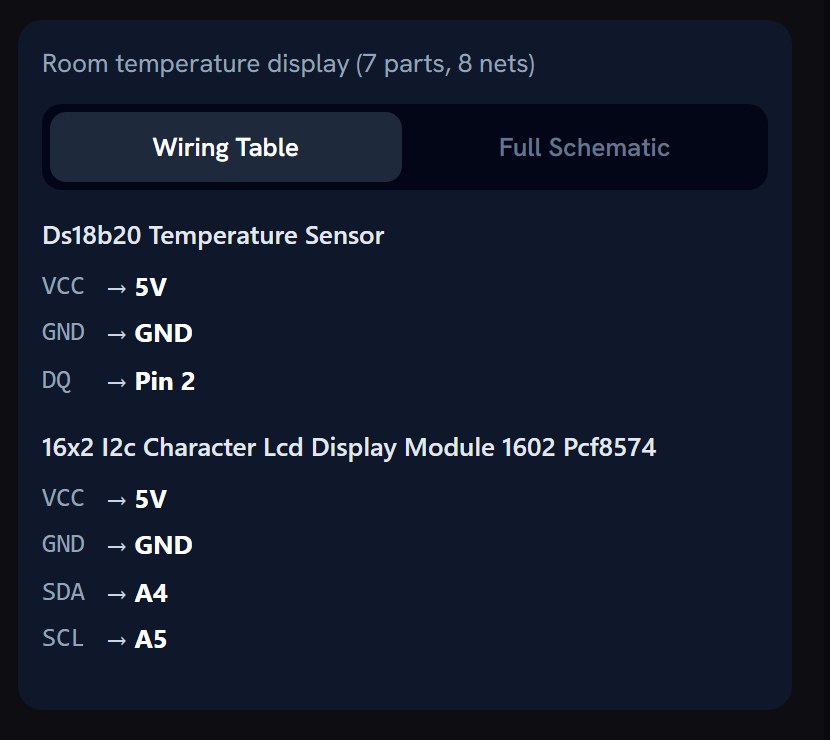
- It wires every pin for that board, and draws a schematic.
- Generate code writes the sketch from that pin plan. It takes a couple of minutes.
- Compile checks it on our server and shows the result. If the server is busy you see that the code is unchecked, not a false "compiled".
- Flash it from the browser, or copy it into the Arduino IDE.
Flashing from the browser
Flashing runs from Chrome or Edge on a desktop or laptop. ESP32 boards, the Arduino Uno, Mega and Nano flash over USB through the browser (a Nano with the new bootloader may need the Arduino IDE). A Raspberry Pi Pico flashes from Chrome or Edge in two presses: the first restarts it into its bootloader, the second writes the file; in other browsers you get one file to drop onto the board. Boards that use a CP2102 or CH340 USB chip may need a one-time USB driver. For any other board, download the sketch and upload it from the Arduino IDE or PlatformIO.
Reading and changing the code
The sketch opens in the Firmware tab, a code editor you can type in, with a Serial Monitor beside it. Ask in chat for a change ("blink twice as fast", "show the reading in Fahrenheit") and the code is rewritten against the same wiring. When something goes wrong, see Sketch won't compile.
Parts that exist
Every part Soldr picks is one Compoden stocks, shown In Stock with its price. Buy all puts every part in one Compoden cart, shipped across India; COD if checkout offers it for your order.
A typical first build: an Uno R3 board, a DHT22 sensor and jumper wires.
What Soldr checks before it writes code
- Free, safe pins: no part on a pin the board needs to boot, on an input-only pin, or on a pin already in use. When the board runs out, it says which part has no pin.
- Shared buses: two I2C parts at the same address are told apart (an address pin tied high, for example).
- Logic levels: a 5 V part on a 3.3 V board gets a divider or a level shifter, or a note.
- Power: what every part draws against what the supply and the board's pins can give, including a servo's start-up peak; an adjustable converter comes with the voltage to set it to before you connect it.
- Your own parts: tell it what you already own and the build uses them instead of adding new ones.
The details are in Wiring & pins.
What it costs
Questions are free. Generated code costs credits, priced by the size of what is written, and a compile costs 5 credits. Sign in and get 100 credits free.
Questions
Is the Arduino code generator free?
Questions are free. Generated code costs credits, priced by the size of the sketch, and a compile costs 5 credits. Sign in and get 100 credits free.
Does the generated code compile?
Soldr compiles each sketch on its server and shows the result. When the server is busy the code is marked unchecked rather than called compiled.
Can I use the code in the Arduino IDE?
Yes. Copy or download the sketch and open it in the Arduino IDE or PlatformIO. Flashing from Chrome or Edge is there for when you would rather not install an IDE.
Which Arduino boards does it support?
Soldr writes code for 674 board targets. The Uno, Mega and Nano (old bootloader) also flash straight from Chrome or Edge on a desktop.